Remote Support Application ?
We are providing 360 support including Remote Support as well.
You just have to download Remote Support Application from our website or the link below.
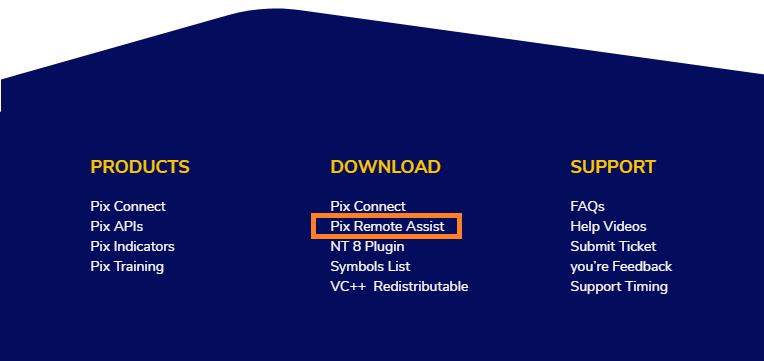
After Downloading this application you would have to install it once and contact our support term.

Our Team will give you the unique session code which you need to enter in Pix Assist Application.
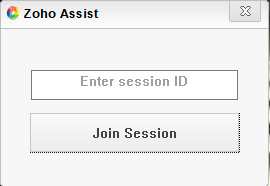
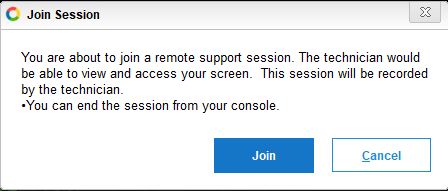
After entering the session code you will get the popup massage in your scree which you need to Join the session.
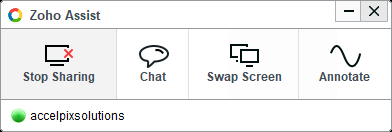
You will get the Accelpix Support window at the bottom right in your scree which means our support agent is connected to your screen.
Thank You and Happy Trading !
Related Articles
How to download Pix Remote Assist ?
We are offering Quick Remote Assist to all our clients for technical setup. You can download the Pix Remote Assist from the bottom of our website as per the screen below. After Downloading, just install it once. After installing this Remote Assist ...
Accelpix Support Holiday Schedule 2025
Dear Valued Customer, Warm greetings and best wishes for a prosperous trading year ahead! As we approach the new year, we would like to extend our heartfelt gratitude for choosing us as your trusted partner in navigating the financial markets. Your ...
Muhurat Trading Session ( Diwali -2025 )
Hello All, Muhurat Trading, celebrated on the evening of Diwali, is more than just a trading session — it’s a tradition that blends wealth creation with auspicious beginnings, allowing traders and investors to welcome prosperity into their ...
How to add symbols list in Pix Connect Application ?
Pix Connect it's the most intelligent application which not only help you to filter the symbol bot also warn you if you add the wrong symbol in your Amibroker or NinjaTrader application. Let's see how to Activate and Deactivate the symbols in Pix ...
How to configure Fibonacci Trader/ Galactic Trader with Pix Connect ?
Hello Sir, You can use multiple Technical analysis applications using Pix Connect. The Products are. 1. Amibroker 2. NinjaTrdare 3. Metastock 4. Multicharts 5. Advanced Get 6. Fibonacci Trader/ Galactic Trader Here, will show you how to ...